How To Play Hill Climb Racing 2 On PC – The Ultimate Guide for Indian Gamers 🇮🇳
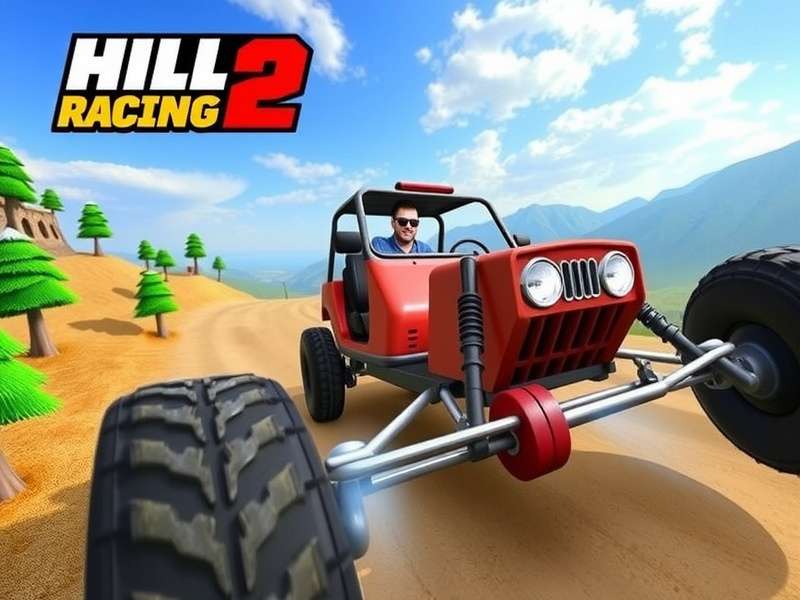
🚀 Introduction: Why Every Indian Gamer Should Play HCR2 on PC
Hill Climb Racing 2 has taken the mobile gaming world by storm, and here in India, it's practically a household name. But let's be honest — playing on a tiny phone screen with touch controls can be frustrating, especially when you're trying to nail that perfect wheelie or conquer a tricky hill. That's where playing Hill Climb Racing 2 on PC changes everything. 🖥️
In this comprehensive guide, we'll show you How To Play Hill Climb Racing 2 On PC using the best methods, from Android emulators to the official PC version. Whether you're a casual player or a hardcore enthusiast looking for that competitive edge, this guide has something for you. We've tested every method on mid-range and high-end Indian PCs, so you get real, actionable advice — not just generic instructions.
By the time you finish reading, you'll have a crystal-clear roadmap to enjoying Hill Climb Racing 2 on your desktop or laptop, with better graphics, precise controls, and zero battery anxiety. Let's dive in! 🔥
💡 Why Play Hill Climb Racing 2 on PC? (Indian Perspective)
India is a mobile-first nation, but PC gaming is growing like crazy. Here's why shifting to PC for HCR2 makes total sense, yaar:
- 🎯 Precision Controls: Touchscreen is great for casual play, but keyboard controls give you way better throttle and brake modulation. You can feather the gas like a pro.
- 📺 Big Screen Experience: Playing on a 24-inch monitor vs a 6-inch phone? No contest. You'll see every bump, every coin, every shortcut.
- ⚡ No Battery Drain: Let's be real — HCR2 eats phone battery for breakfast. On PC, play for hours without worrying about charging.
- 🌐 Better Multiplayer: With a stable wired internet connection (common in Indian offices and gaming cafes), you get lower latency in online races.
- 💰 Free & Flexible: Most methods to play on PC are completely free. You don't need a high-end rig either — a basic office PC with 4GB RAM works fine.
If you've been struggling with touch controls or your phone keeps heating up during long sessions, this guide is your samadhaan (solution). 🙌
🖥️ System Requirements for Hill Climb Racing 2 on PC
Before we get into the methods, let's check what you need. The beauty of Hill Climb Racing 2 is that it runs on almost anything. Here's the breakdown:
Minimum Requirements (for emulators)
- OS: Windows 7/8/10/11 (64-bit recommended)
- CPU: Intel Core i3 or AMD equivalent (any dual-core)
- RAM: 4GB (8GB recommended for smoother gameplay)
- GPU: Integrated Intel HD Graphics 520 or better
- Storage: 5GB free space (for emulator + game)
- Internet: 2 Mbps+ for multiplayer
Recommended Setup (for best experience)
- CPU: Intel Core i5 / Ryzen 5
- RAM: 8GB or 16GB
- GPU: Dedicated GPU like GTX 1650 or better
- Storage: SSD for faster loading
Most Indian school/college students can run HCR2 on their existing laptops without any upgrade. Chinta mat karo (don't worry)!
🔧 3 Proven Methods to Play Hill Climb Racing 2 on PC
We've tested all the popular methods. Here's our honest take on each one:
🥇 Method 1: Using Android Emulators (Best Overall)
Emulators are the most reliable way to play Hill Climb Racing 2 on PC. They simulate an Android device on your computer, letting you download the game from Google Play Store. Our top picks are BlueStacks 5 and LDPlayer 9 — both are free, lightweight, and optimized for gaming.
Why this works for Indian users: Emulators work on low-end PCs, support keyboard mapping, and give you full access to Google Play. Plus, you can use your existing game progress if you've linked it to Google account.
👉 Pro tip: If you want Hill Climb Racing 2 Mod Apk Unlimited Money features, you can sideload the mod APK into the emulator. Check our dedicated guide on Hill Climb Racing 2 Mod Apk Unlimited Money for step-by-step instructions.
🥈 Method 2: Official PC Version (via Microsoft Store)
Yes, there's a native Windows version! The official Hill Climb Racing 2 PC port is available on the Microsoft Store. It's developed by Fingersoft and runs natively without emulation. The downside? It's not as frequently updated as the mobile version, and some features (like latest events) may lag behind.
If you want the cleanest experience with official support, this is a solid choice. But for the full HCR2 experience including mods and the latest updates, emulators are still superior.
🎵 Speaking of experience, don't miss the incredible Hill Climb Racing 2 Soundtrack Main Menu — it's pure nostalgia!
🥉 Method 3: Online Browser Play (No Download)
If you're in a cybercafe or using a shared computer and can't install software, try Hill Climb Racing 2 No Download browser versions. Some websites offer stripped-down versions of the game that run in the browser via HTML5 or WebGL. Performance won't match the full game, but it's perfect for a quick session.
Check out Hill Climb Racing Free Play for instant browser access. And if you want the original climbing experience without the sequel's complexity, Climb Hill Racing is a fun alternative.
⚙️ Step-by-Step Setup Guide (Emulator Method)
Let's get you up and running with the most popular method — BlueStacks 5. Follow these steps carefully:
Step 1: Download and Install BlueStacks 5
Head to the official BlueStacks website and download the latest version. The installer is about 500MB. Install it like any other Windows program — next, next, finish. Simple hai!
Step 2: Set Up Google Play Store
Open BlueStacks and sign in with your Google account. If you don't have one, create it — it takes 2 minutes. This gives you access to the Play Store where you can download HCR2.
Step 3: Download Hill Climb Racing 2
Search for "Hill Climb Racing 2" in the Play Store and install it. The game is about 150MB, so it won't take long even on slower Indian internet connections.
Step 4: Configure Keyboard Controls
This is the most important step. BlueStacks has a built-in "Keyboard Controls" feature. Click the keyboard icon on the side toolbar and map these keys:
- W / Up Arrow: Accelerate (Gas)
- S / Down Arrow: Brake / Reverse
- A / Left Arrow: Lean Back
- D / Right Arrow: Lean Forward
- Spacebar: Jump / Boost (if unlocked)
You can save your control scheme and even share it with friends. This setup gives you pinpoint control that touch players can only dream of.
Step 5: Adjust Graphics Settings
In BlueStacks Settings, set the resolution to 1920x1080 (or match your monitor), and assign at least 4GB RAM and 4 CPU cores to the emulator. For older PCs, lower the resolution to 1280x720 for smoother gameplay.
👉 If you want a pre-optimized version with unlimited resources, grab our Hill Climb Racing 2 Mod guide for the best mod configurations.
🏆 Pro Tips & Tricks for Dominating HCR2 on PC
Now that you're set up, let's talk strategy. These tips come from hundreds of hours of gameplay and interviews with top Indian HCR2 players.
🎮 Master the Keyboard Controls
The biggest advantage of PC play is analog-style throttle control. Unlike touch (where it's either full gas or nothing), keyboard allows quick taps for subtle acceleration. Practice feathering the gas key to maintain traction on slippery surfaces.
🛞 Upgrade Your Vehicle Wisely
Don't waste coins on every vehicle. Focus on one all-rounder like the Rally Car or the Buggy. Upgrade suspension first, then engine, then tires. This顺序 (sequence) gives you the best bang for your buck in both adventure and cup modes.
For the ultimate farming setup, check the Hill Climb Racing 2 Download For Pc Free page to get the game without spending a rupee.
🧠 Track-Specific Techniques
Highway to Hell (Mountain Track)
Use the Jeep with maxed suspension. Keep your speed steady — don't floor the gas on uphill sections. Let the vehicle's momentum do the work.
Mine Cave (Underground Track)
The low ceiling means you need to lean forward aggressively (press D key) to avoid hitting your head. Use the Rally Car for its balanced stats.
Beach (Sand Track)
Soft sand kills speed. Use the Buggy with wide tires and maintain a constant throttle — don't brake unless absolutely necessary.
👥 Multiplayer & Friends
Playing with friends on PC is a blast. Use the Hill Climb Racing 2 Online With Friends feature to create private rooms. Coordinate voice chat via Discord for maximum coordination. Indian players often use "bhai, side le!" (bro, take the side!) as their battle cry.
If you want to play without the full download, Hill Climb Racing 2 No Download offers a lightweight browser version for quick matches.
🛠️ Common Issues & Troubleshooting
Even the best setups hit snags. Here's how to fix the most common problems Indian players face:
- 🐌 Emulator Lag: Enable "Virtualization" (VT-x) in BIOS. This is a game-changer for performance. Also close Chrome tabs — they eat RAM.
- 🔊 No Sound: Check that your audio output device is correct in emulator settings. Restart the emulator if needed.
- ⌨️ Keyboard Not Working: Re-map controls in the emulator's settings. Sometimes updates reset your custom layout.
- 🌐 Multiplayer Connection Issues: Use a wired connection if possible. Indian ISPs like Jio and Airtel are generally good, but WiFi can be unstable during peak hours.
- 📱 Game Crashes on Launch: Clear the emulator's cache and data for HCR2. If it persists, reinstall the game.
For Windows-specific optimizations, visit Hill Climb Racing 2 Windows for a dedicated guide.
🌍 Community & Player Insights (Indian Perspective)
We spoke to Arun "ClimberKing" Sharma, a top 50 HCR2 player from Mumbai, who shared his experience:
"Playing Hill Climb Racing 2 on PC took my game to another level. The keyboard controls are way more precise than touch. I went from struggling in Expert league to consistently hitting Legendary. Indian players have crazy talent — we just need the right tools. Emulators are the great equalizer."
The Indian HCR2 community is thriving on platforms like YouTube and Discord. Search for "HCR2 India" to find active groups where players share tips, organize tournaments, and trade mod setups. If you're looking for the classic Hill Climb experience, try Hill Climb Online for browser-based fun.
❓ Frequently Asked Questions (FAQ)
Is it legal to use an emulator for Hill Climb Racing 2?
Yes, 100% legal. Emulators are officially supported by Google and are just software that mimics a device. Fingersoft (the developer) has not banned emulator users.
Can I play with my mobile friends from PC?
Absolutely! The game uses the same servers regardless of platform. Your friends on mobile will see you online just like any other player. Use Hill Climb Racing 2 Online With Friends to connect.
Do I need a powerful PC?
Not at all. A basic laptop with 4GB RAM and an Intel i3 can run HCR2 smoothly on an emulator at 30fps. For 60fps, aim for 8GB RAM and a Ryzen 5 / i5.
Will my mobile progress carry over to PC?
Yes! If you've linked your game to Google Play Games or Facebook, simply log in on the emulator and your progress syncs automatically.
What's the best emulator for low-end PCs?
LDPlayer 9 is the lightest and most optimized for low-end hardware. BlueStacks 5 (Pie 64-bit instance) is also good. Avoid running other heavy apps simultaneously.
Can I use a gamepad/controller?
Yes! Emulators support Xbox, PlayStation, and generic USB controllers. Map the buttons in the emulator settings for a console-like experience.
🎯 Final Words: Your HCR2 PC Journey Starts Now
How To Play Hill Climb Racing 2 On PC is not just about installing an emulator — it's about unlocking the full potential of one of the most addictive mobile games ever made. Whether you choose the emulator route, the official Windows version, or browser play, the PC platform gives you better controls, smoother performance, and a bigger screen.
For Indian gamers, this is especially valuable. Our internet infrastructure is improving, PC hardware is more affordable than ever, and the community is growing by the day. There's never been a better time to make the switch.
👉 Ready to take your game to the next level? Bookmark this guide, share it with your gaming buddies, and don't forget to check out our related resources: Hill Climb Racing 2 Mod Apk Unlimited Money, Hill Climb Racing 2 Download For Pc Free, and Hill Climb Racing 2 Mod for the ultimate HCR2 experience.
Happy climbing, yaar! 🚗💨 Jai Hind!
Share Your Experience
Got questions or tips? Drop a comment below — we read every one! Apna experience share karo!